Modify /etc/cups/printers.conf
by changing "Shared No" to "Shared Yes".
I also had the other problem mention in the same thread [1].
The remote web interface quit working serveral times,
and I had to run the following to get it back to working:
cupsctl --remote-admin --remote-any
In addition, to get the remote web interface to even work,
I had to run:
cupsctl WebInterface=yes
It is now April 24, 2026 and the share bug was
report on July 11, 2024 !!!
Before installing any printers Create a Restore Point !!!
Private, Public and Domain
Windows 11 uses Private and Public Profiles for both Ethernet and Wireless network
interfaces. You can set the profile for either. To discover other devices and their
services on the LAN, the profile needs to be "private".
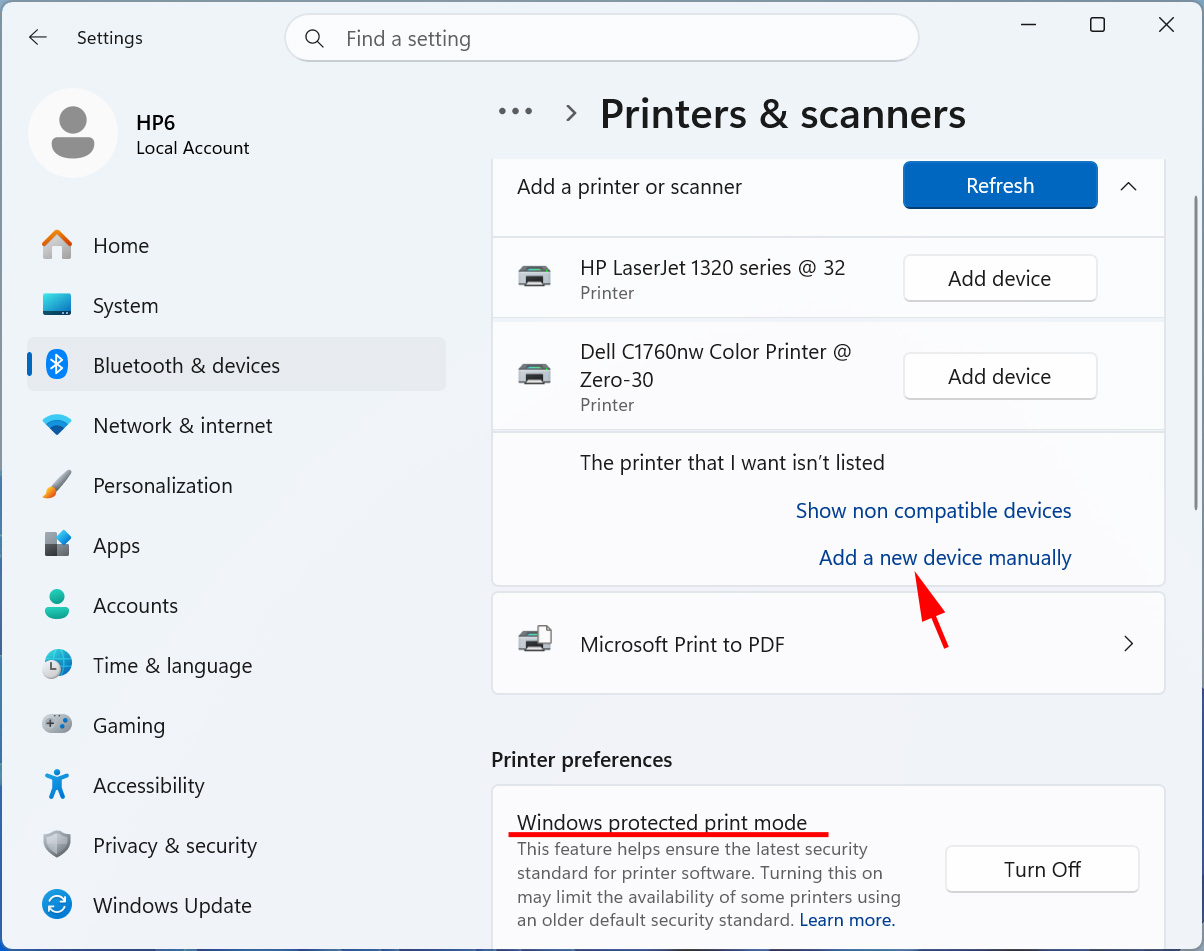
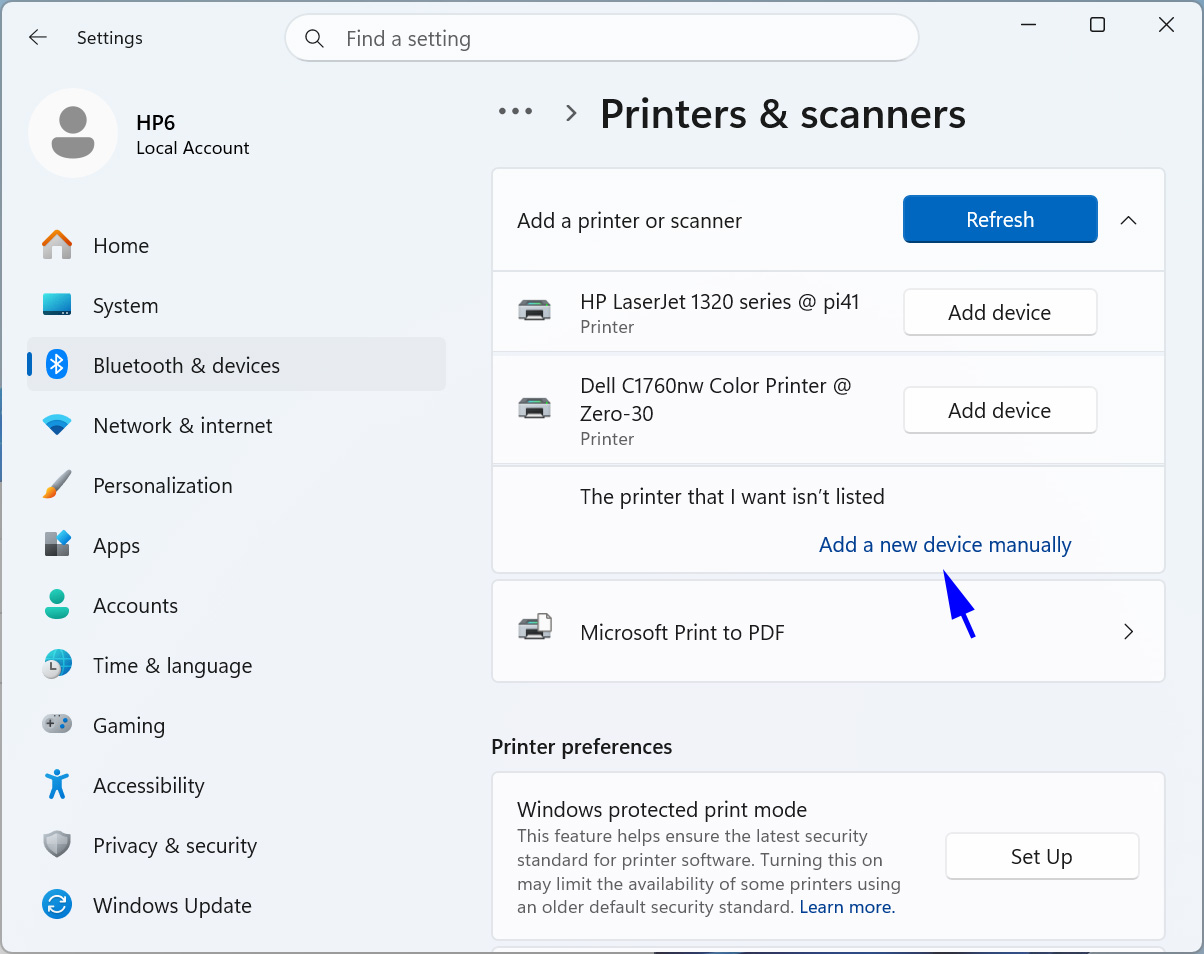
Screenshot 1. Select "Add a new device manually".
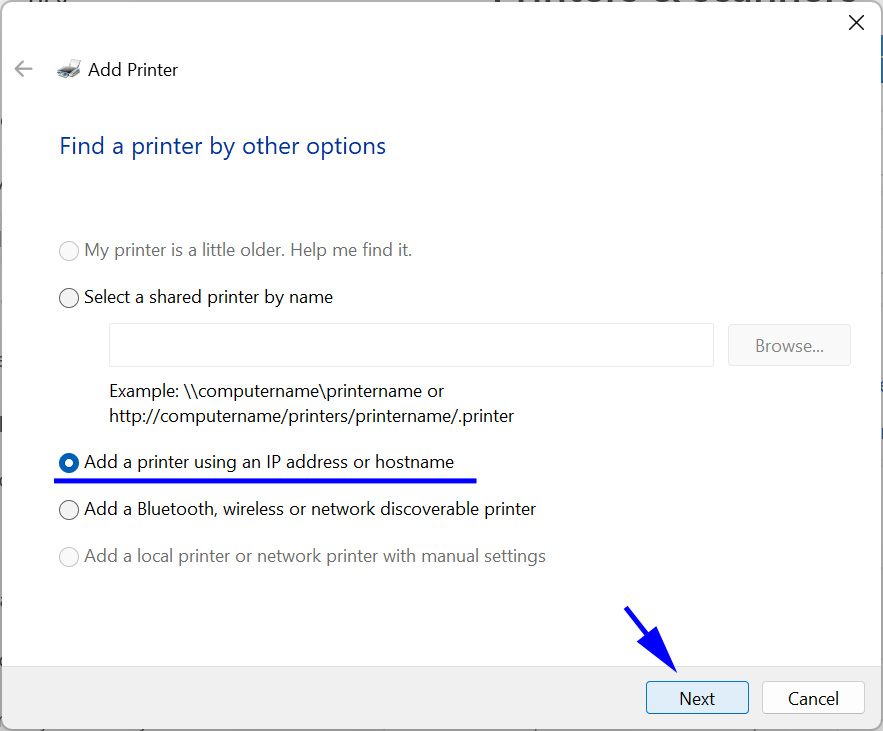
Screenshot 2. Select 'Add a printer using an IP address or hostname".
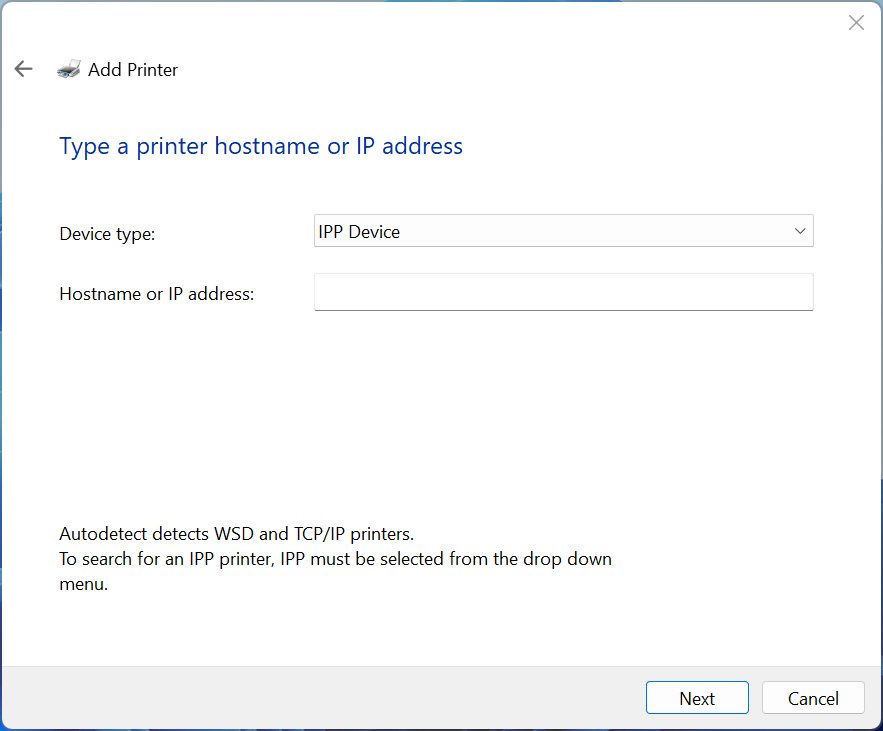
Screenshot 3. To get the IP Address or
Hostname, see the next section.
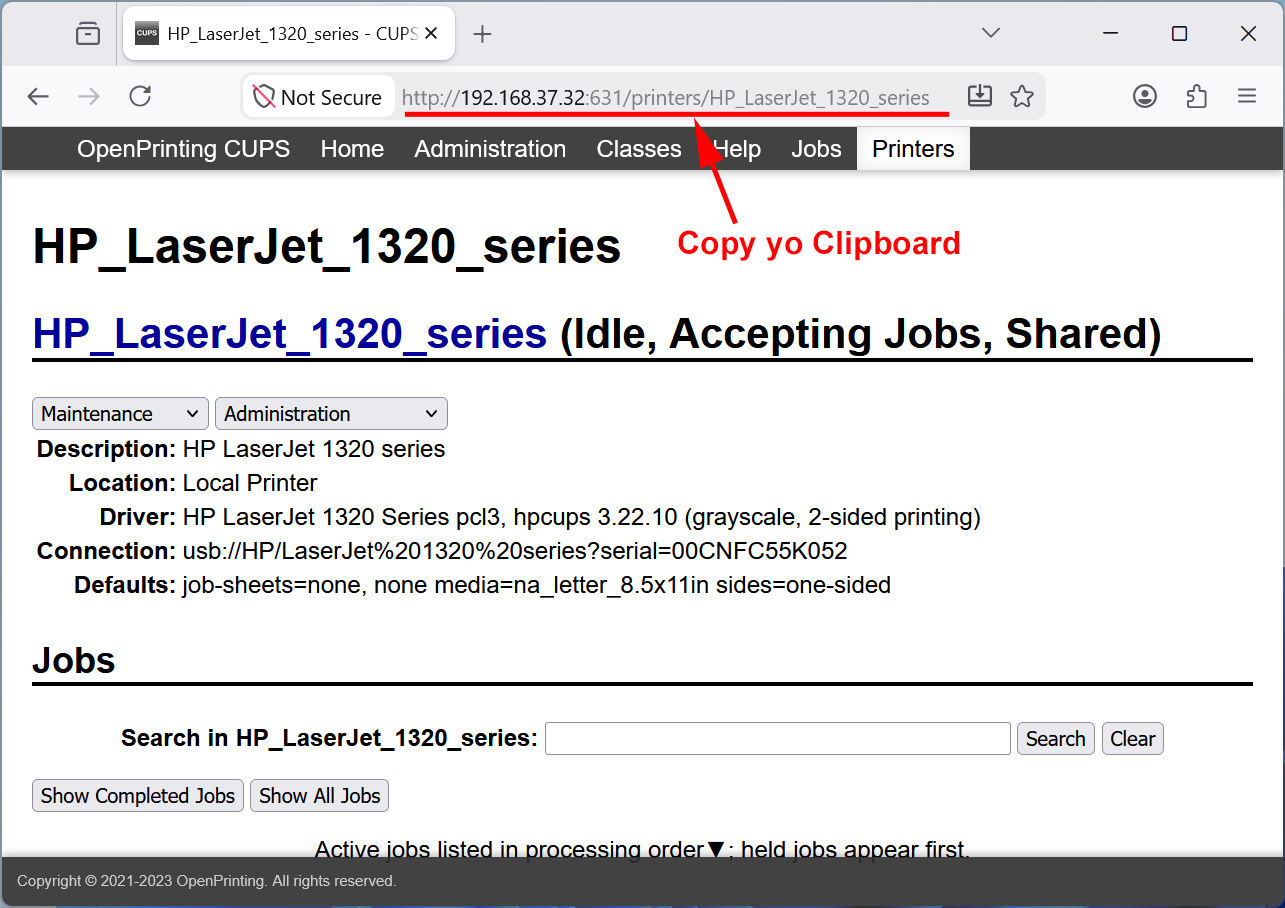
Screenshot 4. Use CUPS' web interface to copy the printer's URL to the clipboard.
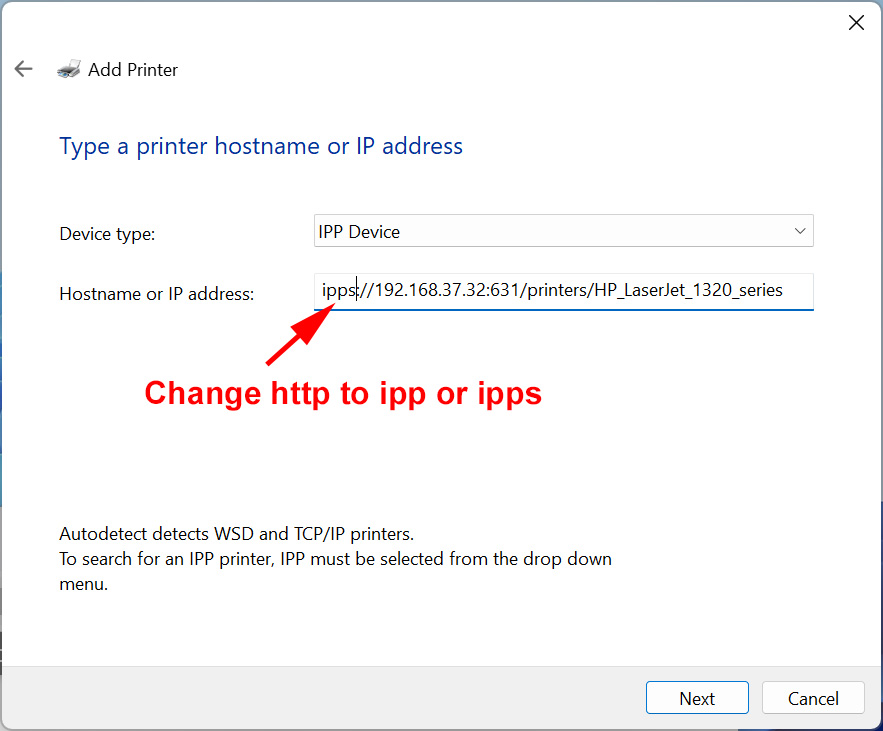
Screenshot 5. For Printers with a State IP Address, Paste the Clipboard URI
into the Hostname or IP Adddress Slot and change http to ipp or ipps.
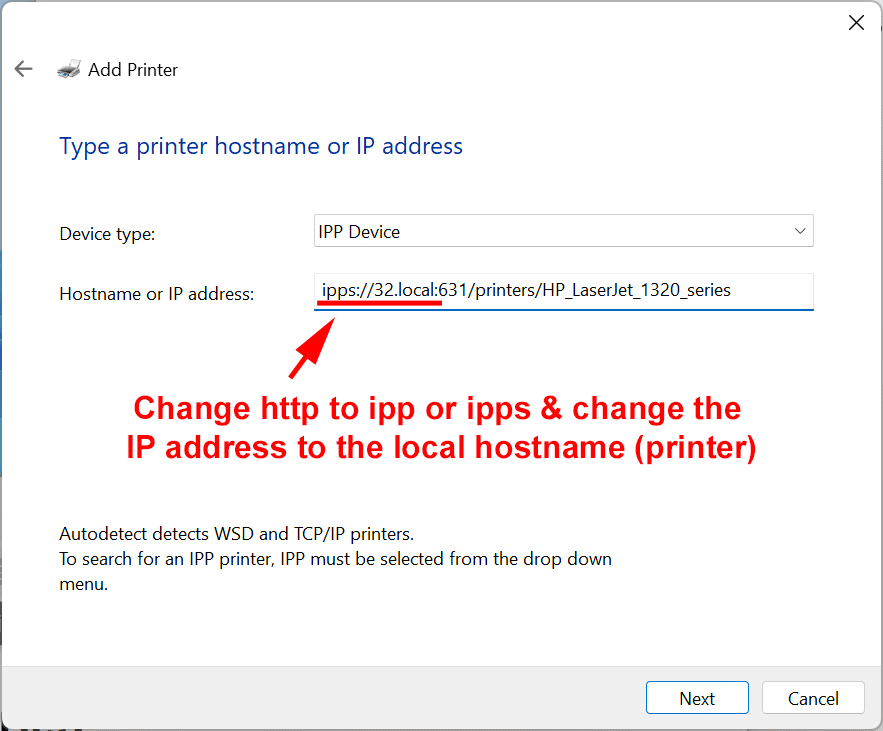
Screenshot 6. For Printers with a Dynamic IP Address Paste the Clipboard URI
into the Hostname or IP Address Slot and change http to ipp or ipps
and the IP address to the local hostname (Printer).
Window 11 - Adding Driverless Printers
Before installing any printers Create a Restore Point !!!
Private, Public and Domain
Windows 11 uses Private and Public Profiles for both Ethernet and Wireless network
interfaces. You can set the profile for either. To discover other devices and their
services on the LAN, the profile needs to be "private".
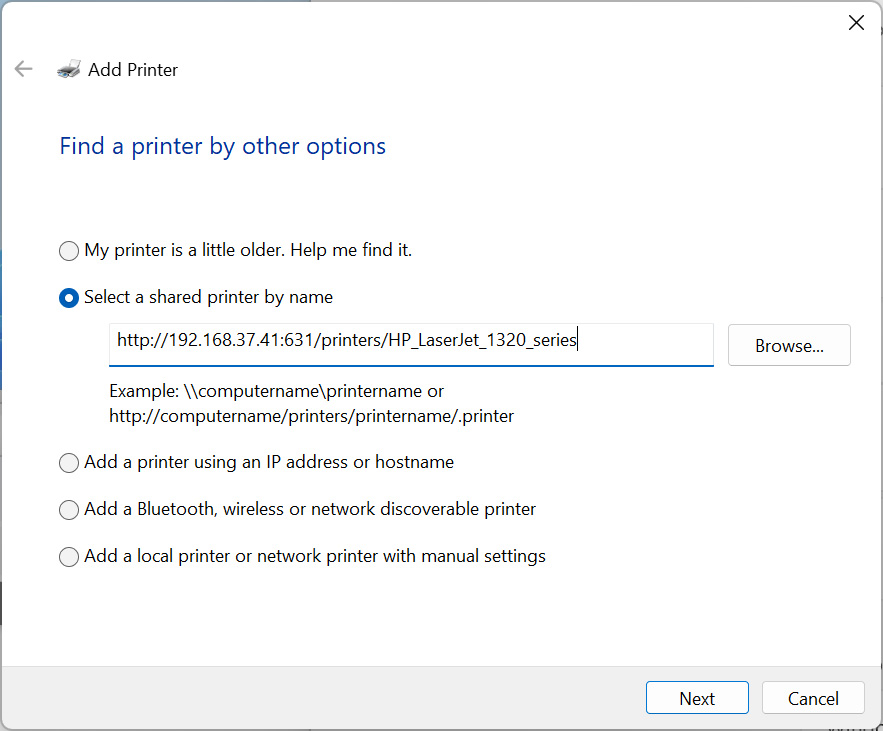
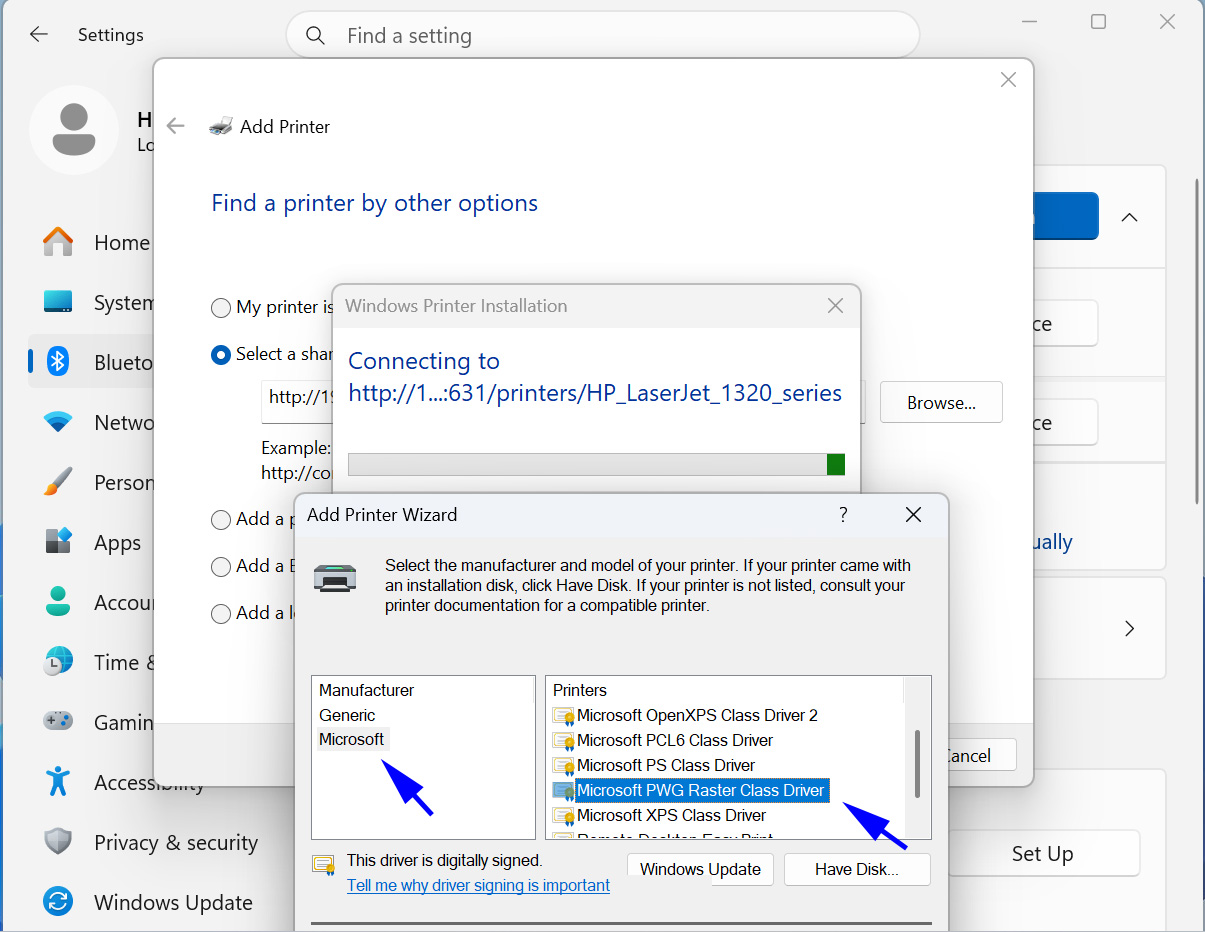
Screenshot 1. Select Add New Device Manually. Screenshot 2. Select by Name and Paste the Printer's URL. Screenshot 3. Select Microsoft as the Manufacturer and the printer driver as PWG Raster.
Microsoft Slop or MicroSlop
Always Create a Restore Point before attempting to install a Printer !!!
If you select "Add device" for one of the found printerw (Screenshot 1) and if fails,
the "Add Printer" button will never find it again.
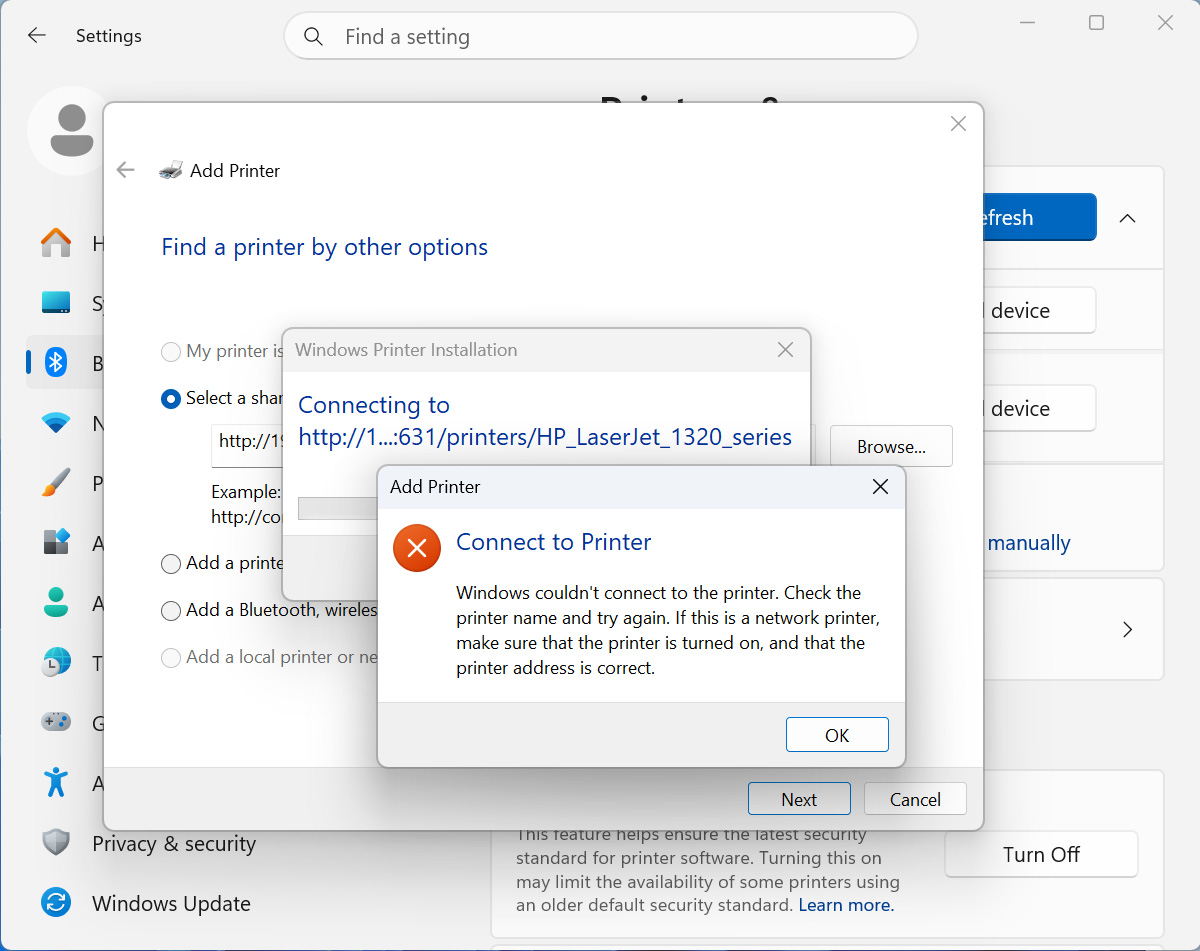
If you ever select the Windows Protective Print (WPP) Mode once,
and afterwards unselect it, you will not be able to "Select a shared
printer by name". See Screenshot 4 below.
<
Screenshot 4. Connection Error caused by Selecting Microsoft WPP Once.
Microsoft's Network Discovery Protocols
mDNS - Multicast Domain Name Server - 224.0.0.251 port 5353 UDP
UPnP - Universal Plug & Play; it is based on SSDP
SSDP - Simple Service Discovery Protocol - 239.255.255.250 port 1900 UDP
WS-Discover or WSD Web Services Discovery - 239.255.255.250 port 3702 UDP & TCP
NetBIOS - Network Basic Input/Output System
LLMNR - Local Link Multicast Name Resolution - 224.0.0.252 portt 5353 UPP
mDNS
Multicast Domain Name Server
224.0.0.251
ff02::fb
5353 UDP
SSDP
Simple Service Discovery Protocol
239.255.255.250
ff02::c / ff05::c
1900 UDP
WS-Discovery
Web Services Discovery (WSD)
239.255.255.250
ff02::c
3702 UDP & TCP
Microsoft is phasing out NetBIOS and LLMR [8].
The best that I can determine both Linux and Microsoft Windows use mDNS
for name resolution (converting names to IP addresses), but for network services
Linux uses DNS Service Discovery (dns-sd) protocol, whereas Windows use the Simple
Service Discovery Protocol (SSDP) and/or the Web Service Dynamic Discovery protocol
(WS-Discovery or WSD).