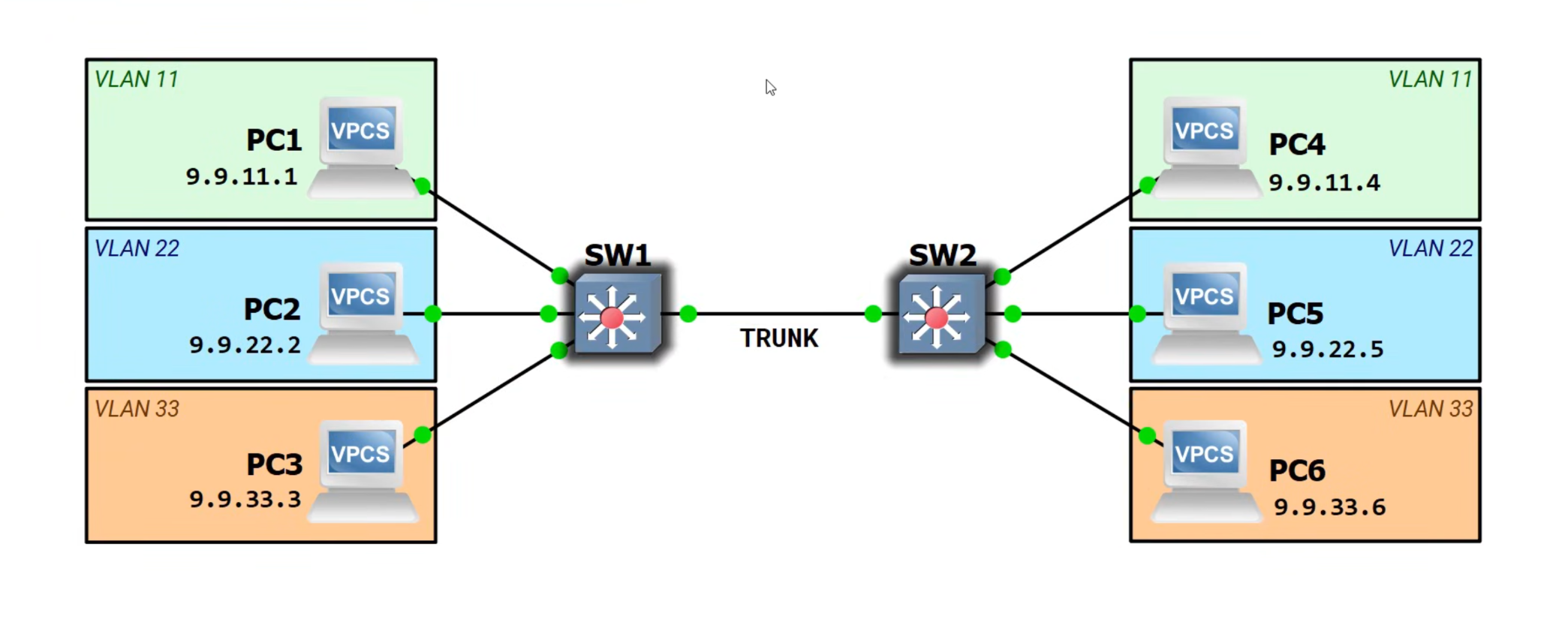
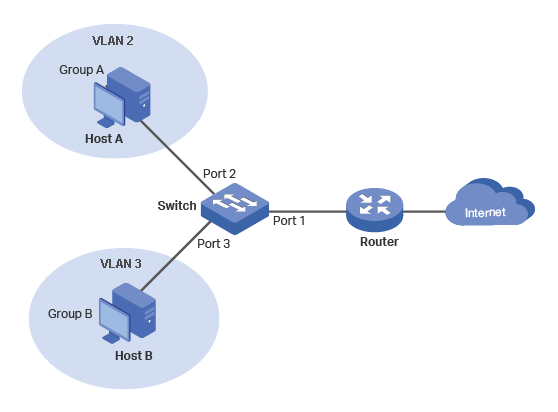
To sniff ethernet traffic, you need a hardware TAP, SPAN or Hub.
TAP - Test or Traffic Access Point
Active - Requires power - operates at 1 Gbps (> $200)
Passive - Required no power - but limited in speed to 100 Mbps.
A TAP can only monitor one port.
SPAN - Switch Port Analyzer for Networks ($50)
A monitored ethernet switch that can mirror
ports with aggregation (combine the input
and output of the ports being mirrored).
Some SPAN's can monitor multiple ports.
Hub
Hubs send all traffic to all ports. They are
limited in speed to 100 Mbps (most are 10 Mbps)
and are half duplex. They are a thing of the
past (eBay).
Unwanted Traffic from the Monitoring Computer
The monitoring computer can introduce unwanted traffic
on the network that you do not want to capture in your
scans.
The monitoring computer will attempt to sync
with a Network Time Protocol (NTP) Server.
For Debian:
sudo ststemctl stop systemd-timesyncd.service
For Fedora:
Temporally, stop all outgoing traffic with a firewall.
Linux and MacOS use Multicast Doman Name Service
(mDNS) to discover services on the network.
This is light traffic that can be ignored, or
you can easily filter it with a firewall rule.
A Virtual Private Network (VPN) can also cause unwanted traffic.
Unconnected is not the same as disabled. For Nordvpn,
I did the following:
sudo systemctl stop nordvpnd
USB-to-Ethernet Adapters can also generate unwanted traffic.
You can avoid this issue by purchasing a TAP that has
one output for Ethernet ports and another output for USB
ports [1,2] - thin laptops.
You can also avoid this issue, by keeping the wireless
interface as your primary interface (the one with the gateway
set).
Currently, I am temporally blocking all outgoing traffic
with a firewall.
For Linux machines, all the unwanted traffic, with the exception of mDNS traffic,
goes away if the ethernet adapter you are using to capture packets is
on a different subnet from the gateway. For a laptop or Raspberry Pi
this means that the wireless interface is the primary interface with
the gateway and the ethernet interface is a secondary interface.
You can have multiple network interfaces cards (NIC's),
but there can only be one gateway.
Network Time Protocol and VPN traffic will go through
the interface that is on the same subnet as the gateway.
A fix all, is to temporarily block all outgoing traffic with
a firewall rule.
Good for troubleshooting.
I strongly recommend implementing #5.
Loss Data because of Sleep
If using a laptop with a USB-to-Ethernet adapter, if your laptop
goes to sleep, Wireshark will stop scanning. The following worked on
my Apple Macbook Air M2 running Fedora Asahi Remix:
SPAN - Netgear Prosafe Plus Switch Model GS105Ev2 [1,2,3]
For setting it up and to change settings, the Netgear GS105Ev2
has a built-in http web server. Its default address is
192.168.0.239.
Why can't you access it at 192.168.0.239:
If you connected one of the ports to a network with a DHCP server (router)
then the DHCP server assigned it a new address. This occurs because
the switch's DHCP Mode is set to enabled by default. Netgear does
provide a software tool to help you find the new address, but I do
think they made the right choice here.
My setup procedure is:
Set DHCP Mode to Disable.
Keep the default address values:
IP Address:
192.168.0.239
Subnet Mask:
255.255.255.0
Gateway:
192.168.0.254
Segregate the monitor ports and the mirror port with VLANs:
Under the VLAN tab, "Basic Port-Based VLAN Status"
Check the "Enable" radio button.
In the Basic Port-based VLAN Group Table
Place ports 1-4 in VLAN Group 1.
Place port 5 in VLAN Group 5.
Set Up Mirroring:
the System Tab, select the Monitoring Tab.
Select Mirroring on the Left.
Enable Mirroring.
Select the Destination Port as Port 5.
Check the Ports to be Monitored.
Unwanted Ethernet Traffic
For Microsoft Windows Universal PnP (UPnP) compatibility,
the interface's http web server is being advertised via the
Simple Service Discovery Protocol (SSDP). To prevent this traffic:
In the web interface, under the "System" Tab,
select "Switch Discovery", and disable it [1 (page 40].
Reset
To Reset the Switch:
Under the System Tab, select the Maintenance tab.
On the left, select Device Reboot.
Check the box and click the Apply button to Reboot the Switch.
Do NOT get the Netgear GS305E
The Netgear GS305E on paper looks like an upgraded versin of the GS105V2. However,
I ordered it's brother the GS308Ev4. It has a Realtek chip in it and it used
the Realtek protocol to make a more ecomomical VLAN switch. Hence, you will
see a lot of Realtek protocol on your network. Thus, you are not monitoring
the network as it was before. This is probably the reason that the GS305E cost ($19)
half of what the GS105Ev2 cost ($45).
Before I discovered this, I search the Internet for differences in the GS305E and
the GS105Ev2. I found several articals, but not a one of them mention the Realtek
protocol.
The Mackbook Air was connected to ethernet via a usb-to-ethernet adapter.
Its chipset is manufactured by ASIX Electron; its mac address is f8:e4:3b:5d:38:41.
The Dlink Dir 655 Router was old (2007). Its ethernet speed is 1 Gbps,
but its wifi is only b,g and n (only 2.4GHz band).
Every five minutes, Fedora will normally go to "http://fedoraproject.org/static/hotspot.txt".
This generates unnecessary traffic that has to be filtered out. I followed
this procedure to stop this traffic.
TXT, cache flush A, cache flush IP-Address, cache flush SRV
Fedora Asahi Remix
ANY Resever-Order-IP.in-addr.arpa
PTR cache flush fedora.local A, IP-Address
PTR _nmea-0183._tcp.local, _raop._tcp.local
Continuous
Debian
Network Printers: ipp & ipps
Raspberry Pi OS
None
Fedora Asahi Remix
Remote Audio Output _raop._tcp.local
Microsoft Windows Discovery
Simple Service Discovery Protocol
NetBios Name Service
Protocols with Packets
Address Resolution Protocol
Startup Announcements
Debian
Protocol
Source
Destination
Description
arp
HP_21:d8:7f
Broadcast
Who has 192.168.5.72? (APR Probe)
arp
HP_21:d8:7f
Broadcast
Who has 192.168.5.72? (APR Probe)
arp
HP_21:d8:7f
Broadcast
Who has 192.168.5.72? (APR Probe)
arp
HP_21:d8:7f
Broadcast
ARP Announcement for 192.168.5.72
Raspberry Pi OS
Protocol
Source
Destination
Description
arp
RaspberryPiT_a0:71:e3
Broadcast
Who has 192.168.5.52? (APR Probe)
arp
RaspberryPiT_a0:71:e3
Broadcast
Who has 192.168.5.52? (APR Probe)
arp
RaspberryPiT_a0:71:e3
Broadcast
Who has 192.168.5.52? (APR Probe)
arp
RaspberryPiT_a0:71:e3
Broadcast
ARP Announcement for 192.168.5.52
Fedora Asahi Remix
Protocol
Source
Destination
Description
arp
ASIXElectron_5d:38:41
Broadcast
Who has 192.168.5.88? (APR Probe)
arp
ASIXElectron_5d:38:41
Broadcast
Who has 192.168.5.88? (APR Probe)
arp
ASIXElectron_5d:38:41
Broadcast
Who has 192.168.5.88? (APR Probe)
arp
ASIXElectron_5d:38:41
Broadcast
Who has 192.168.5.1 Tell 192.168.5.88
arp
ASIXElectron_5d:38:41
Broadcast
ARP Announcement for 192.168.5.88
Router Updates MAC Addresses of the Connected Hosts:
Once a minute the Dlink Dir-655 Router update the MAC
addresses of the Host that are connected to it.
Query
Protocol
Source
Destination
Description
arp
Dlink_6a:23.2c
Broadcast
Who has 192.168.5.72 tell 192.168.5.1
Response
Protocol
Source
Destination
Description
arp
HP_21:d8:7f
Dlink_6a:23.2c
192.168.5.72 is at 7c:57:58:21:d8:7f
Query
Protocol
Source
Destination
Description
arp
Dlink_6a:23.2c
Broadcast
Who has 192.168.5.52 tell 192.168.5.1
Response
Protocol
Source
Destination
Description
arp
RaspberryPiT_a0:71:e3
Dlink_6a:23.2c
192.168.5.52 is at d8:3a:dd:a0:71:e3
Query
Protocol
Source
Destination
Description
arp
Dlink_6a:23.2c
Broadcast
Who has 192.168.5.88 tell 192.168.5.1
Response
Protocol
Source
Destination
Description
arp
ASIXElectron_5d:38:41
Dlink_6a:23.2c
192.168.5.52 is at f8:e4:3b:5d:38:41
Hosts Update MAC Address of the Router:
Debian
The time between quires is 64, 128, 256. 512, 1024 up to 2048 seconds;
afterwards remains at 2048 seconds (34 minutes).
Query
Protocol
Source
Destination
Description
arp
HP_21:d8:7f
Dlink_6a:23.2c
Who has 192.168.5.1 Tell 192.168.5.72
Response
Protocol
Source
Destination
Description
arp
Dlink_6a:23.2c
HP_21:d8:7f
192.168.5.1 is at 00:24:01:6a:23:2c
Raspberry Pi OS
The time between quires is 128, 256, 512, 1024, up to 2048 seconds,
and afterwards remains at 2048 seconds (34 min).
Query
Protocol
Source
Destination
Description
arp
RaspberryPiT_a0:71:e3
Dlink_6a:23.2c
Who has 192.168.5.1 Tell 192.168.5.52
Response
Protocol
Source
Destination
Description
arp
Dlink_6a:23.2c
RaspberryPiT_a0:71:e3
192.168.5.1 is at 00:24:01:6a:23:2c
Fedora Asahi Remix
The time between quires is around 64 seconds (~1 min). It is not that accurate,
and it can skip numerous cycles. Still, it is considerably faster than
Debian and/or the Raspberry Pi OS.
Query
Protocol
Source
Destination
Description
arp
ASIXElectron_5d:38:41
Dlink_6a:23.2c
Who has 192.168.5.1 Tell 192.168.5.88
Response
Protocol
Source
Destination
Description
arp
Dlink_6a:23.2c
ASIXElectron_5d:38.41
192.168.5.1 is at 00:24:01:6a:23:2c
Network Time Protocol
Debian Fix This !
The time between quires is 32, 64, 128 ... up to 2048 seconds;
afterwards it is 2024 seconds (34 minutes).
Protocol
Source
Destination
Description
NTP
192.168.5.52
155.248.196.28
Version 4, client
Protocol
Source
Destination
Description
NTP
155.248.196.28
192.168.5.52
Version 4, server
Raspberry Pi OS
The time between quires is 32, 64, 128 ... up to 2048 seconds;
afterwards it is 2024 seconds (34 minutes).
Protocol
Source
Destination
Description
NTP
192.168.5.52
155.248.196.28
Version 4, client
Protocol
Source
Destination
Description
NTP
155.248.196.28
192.168.5.52
Version 4, server
Fedora Asahi Remix
The time interval is every minute, and it accesses 4 NTP servers
(4 in less than 2.5 seconds).
Query Response - Cache Flush - A Burst of 3 about 1.5 seconds appart
- at Startup
Protocol
Source
Destination
Description
mDNS
192.168.5.88
224.0.0.251
PTR cache flush fedora.local A, 192.168.5.88
mDNS
192.168.5.88
224.0.0.251
PTR cache flush fedora.local A, 192.168.5.88
mDNS
192.168.5.88
224.0.0.251
PTR cache flush fedora.local A, 192.168.5.88
Query for Global Positioning System GPS and raop -
A Bust of 6 in 32 seconds at Startup.
Protocol
Source
Destination
Description
mDNS
192.168.5.88
224.0.0.251
PTR _nmea-0183._tcp.local, _raop._tcp.local
mDNS
192.168.5.88
224.0.0.251
PTR _nmea-0183._tcp.local, _raop._tcp.local
mDNS
192.168.5.88
224.0.0.251
PTR _nmea-0183._tcp.local, _raop._tcp.local
mDNS
192.168.5.88
224.0.0.251
PTR _nmea-0183._tcp.local, _raop._tcp.local
mDNS
192.168.5.88
224.0.0.251
PTR _nmea-0183._tcp.local, _raop._tcp.local
mDNS
192.168.5.88
224.0.0.251
PTR _nmea-0183._tcp.local, _raop._tcp.local
Continuous
Debian
Query for Network Printers
The first interval was 2048 seconds; afterwards, it
was every hour.
Protocol
Source
Destination
Description
mDNS
192.168.5.72
224.0.0.251
PTR _ipp._tcp.local, PTR _ipps_.tcp.local
Raspberry Pi OS
None
Fedora Asahi Remix
Query for Remote Audio Output Protocol (raop)
The time intervals is 64, 128, 256 ... up to 2024 seconds (34 minutes);
afterwards every hour.
Protocol
Source
Destination
Description
mDNS
192.168.5.88
224.0.0.251
PTR _raop._tcp.local
Microsoft Windows Discovery
Simple Service Discovery Protocol
Dlink Router
Every 15 minutes, the router advertises itself.
Protocol
Source
Destination
Description
SSDP
192.168.5.1
239.255.255.250
NOTIFY * HTTP/1.1
There is an option (UPnP) in the Dlink Router Setting to cut this off,
but it does not work.
Netgear Switch
Every 3 minutes, the Netgear switch advertises itself.
Protocol
Source
Destination
Description
SSDP
192.168.0.239
239.255.255.250
NOTIFY * HTTP/1.1
There is an option (UPnP) in the Netgear Switch GS105Ev2 to cut this off.
It does work.
NetBios Name Service (depreciated)
Every 30 minutes, the Router Advertises
its name and workgroup.
Protocol
Source
Destination
Description
NBNS
192.168.5.1
255.255.255.255
Registration NB DLINKROUTER<00>
NBNS
192.168.5.1
255.255.255.255
Registration NB WORKGROUP<00>
Internet Group Message Protocol (IGMPv3)
Fedora Asahi Remix
Once at Startup
Protocol
Source
Destination
Description
IGMPv3
192.168.5.88
224.0.0.22
Membership Report / Join group 224.0.0.251 & 244.0.0.252 for any sources
When you shutdown 192.168.5.88, you get four identical notices in less
than one second
Protocol
Source
Destination
Description
IGMPv3
192.168.5.88
224.0.0.22
Membership Report / Leave group 224.0.0.251
Protocol
Source
Destination
Description
IGMPv3
192.168.5.88
224.0.0.22
Membership Report / Leave group 224.0.0.251
Protocol
Source
Destination
Description
IGMPv3
192.168.5.88
224.0.0.22
Membership Report / Leave group 224.0.0.251
Protocol
Source
Destination
Description
IGMPv3
192.168.5.88
224.0.0.22
Membership Report / Leave group 224.0.0.251
Wireshark Host Traffic
Debian
This is undesirable traffic from the host that Wireshark is running on. It is
blocked from reaching the router via the switch's VLAN isolation.
Just once at Startup
Query for Global Positing System
Protocol
Source
Destination
Description
mDNS
192.168.0.78
224.0.0.251
PTR _nmea-0183._tcp.local
The time interval for the Network Printers quire is 32, 64, 129 up to 2048 seconds (34 minutes);
afterwards every hour.
Query for Network Printers
Protocol
Source
Destination
Description
mDNS
192.168.0.78
224.0.0.251
PTR _ipp._tcp.local, PTR _ipps_.tcp.local
I currently do not know what triggers the File Server quires. One time, they did
not start until 87 minutes into the scan. Once triggered, the time interval is
1, 2, 4 ... up to 2048 seconds (34 minutes) - afterwards every hour.
Wants to call Fedora every 5 minutes - captive portal
At boot, it can see the my printers HP 1320 and Dell C1760
_raop 32,64,128...2048 seconds
Not a real world case - Not being check on by the Router every minute - investigate why?
The Router will start checking every minute after the Macbook Air
pings the router once. Not a real world case !!!
Very aggressive NTP - Once a minute and 4 NTP Servers
Randomized MAC Addresses
I once thought that the ARP queries from the router to the host
were so that the host use random MAC addresses. However, it looks
like Apple's rotation is 2 weeks.
This probably just keeps the switch table in the router updated.
If a switch does not receive any traffic from a port within a
5 minute period, it normally flushes the entry in its switch table.
Explain the loop and that it also exit on Router that are VLAN aware
Breaking the Positive Feedback Loop with Port VLAN IDs (PVIDs).
When a switch with a VLAN Ports recieved a Frame without a
VLAN tag, the default is to forward it to all of the
VLANs, but you can control where the frame is
fowarded with PVIDs.
You can break the feedback loop via PVID's! Both hosts (192.168.5.72 & 192.168.6.52) can access
the internet, and ping each other. With the Netgear GS105Ev2 switch, you can monitor ports
1, 2, 4 or 5 or any combination of 1, 2, 4 and 5.
Using a 2nd Netgear Swich to Break the Feedback Loop
You can also use a 2nd ethernet switch to break the
feedback loop. This was my first solution.
This works with and without VLAN #3. Both hosts (192.168.5.72 & 192.168.6.52) can access
the internet, and ping each other. With the Netgear GS105Ev2 switch, you can monitor ports
1, 2 or 3 or any combination of 1, 2 and 3.
A VLAN aware router does not solve everything. The configuration below has a positive
feedback loop because there are no VLAN tags even if you are using the advanced setup
with 802.1Q.
When a managed switch with VLANs recieved a broadcast frame that does not have
VLAN tags, it will forward the frame to ALL the VLANs and/or ports in the switch.
This is what completes the positive feedback loop.
Capturing VLAN Tags
I believe that a monitored switch only inserts a VLAN tag in a frame
if it knows that the recieving device is VLAN aware. Therefore,
to capture VLAN tags, the interface on the host running Wireshark has
to be VLAN aware.
Unfortunately, as of June 2026, Wireshark's documentation on how
to setup the interface to be VLAN aware is out-of-date. It uses "vconfig",
which is depricated. However, the interface can be setup to be VLAN aware
with the "Network Manager"[1].
One of things that I learned, was that all four of the PCs were sending out arp
request about once a second for the gateway (who has 192.168.5.1 tell 192.168.5.xx).
My temporary fix was to enable wifi on each of the PC's, and to move the gateway
to the subnet of the wifi network. This reduced the traffic on the trunk to almost
nothing.
VLANs - Sharing Common Resources
Example #1
The example in Figure 1, allows both hosts to access the internet, but
it does not allow the two hosts to communicate with each other.
Figure 1
Port #
1
2
3
4
5
VLAN 1
U
U
U
U
U
VLAN 20
U
U
VLAN 30
U
U
PVID
1
20
30
1
1
Switch A - Steps 2 & 3
Port
Tagged/Untagged
PVID
1
U
1
2
U
2
VLAN 2
Port
Tagged/Untagged
PVID
1
U
1
3
U
3
VLAN 3
Port
Tagged/Untagged
PVID
1
U
1
2
U
2
3
U
3
4
U
1
5
U
1
VLAN 1
Port 1 is untagged, yet it is a member of all three VLANs. This seems
to violate the rule that an untagged port can only be a member of
one VLAN.
Allows hosts in Group A to communicate with other hosts in Group A but NOT those in Group B.
Allows hosts in Group B to communicate with other hosts in Group B but NOT those in Group A.
Allows the Wireshark Host to commuicate with any host or any switch or the router.
Note, there are differences in this Example 2, and the Example 2 in reference [2].
Figure 2.
There is nothing in the Netgear GS105Ev2 manual to help you in
setting up VLANs. It is believed that Netgear intended for VLAN 1
to be the PVID of the port connected to a router and/or a trunk.
A router needs access to all ports.
Fill-in the Switch A and Switch B tables so the router
can access all ports (hint, start with Switch B).
Port #
1
2
3
4
5
VLAN 1
U
U
U
T
U
PVID
1
Switch A :
Step 1 .
Port #
1
2
3
4
5
VLAN 1
U
U
U
T
U
PVID
1
1
Switch B :
Step 1 .
Create two VLANs: (1) VLAN 20 to be used later as the PVID of Port 2,
and (2) VLAN 30 to be used later as the PVID for Port 3.
Fill-in the Switch A Table for VLAN's 20 and 30. Fill-in the
Switch B Table for VLAN's 20 and 30.
Port #
1
2
3
4
5
VLAN 1
U
U
U
T
U
VLAN 20
U
U
T
VLAN 30
U
U
T
PVID
1
20
30
1
1
Switch A - Steps 2 & 3
Port #
1
2
3
4
5
VLAN 1
U
U
U
T
U
VLAN 20
U
T
U
VLAN 30
U
T
U
PVID
1
20
30
1
1
Switch B - Steps 2 & 3
Note, VLAN 20 in Switch A is different that VLAN 20 in Switch B; ditto for VLAN 30 .
On Switch B, why must port 5 be included in VLANs 20 and 30? Everything originating from
Port 2 will have VLAN tag 20 on it. So, for Port 2 to communicate with Port 5,
Ports 2 and 5 must be in the same VLAN. Similarly, for Port 3 to communicate with Port 5,
they must be in the same VLAN.
Native VLANS - To identify the destination VLAN, packets on a trunk are tagged.
However, it is
permissable for ONE destination VLAN to not use a tag. The untagged VLAN
is referred to as the Native VLAN. In the above network, if a host connected to Switch A
pings the router, the ping request has a VLAN tag, but the ping response does not have
a tag because it is using the native VLAN (VLAN 1).
Symmetrical and Asymmetrical VLANs
the Wireshark Host
pings the the router, neither the ping request or the ping response have a
VLAN Tag. Hence on Switch A, the Native VLAN is VLAN 1, and on Switch B, the
Native VLAN is VLAN 1. Native VLANS are per switch per trunk. It is important
that the Native VLANs on each trunk match. Cisco switches allow you to assign
the native VLAN. The Netgear Switch, GS105Ev2, does not allow you to select which
VLAN is the Native VLAN.
?i?????An Asymmetric VLAN is a configuration where traffic between two devices uses
different VLAN Tags (ID's) for each direction of the communications. This is an
asymemetic network. You can see this with Wiresharp by pinging the router with one of the hosts
in Switch A. The ping request has a VLAN tag; the ping response from the
rounter does not have a VLAN tag because VLAN 1 is the Native VLAN.
If for some reason, you want to restrick the Wireshark Host to commicating only with
the web interfaces of Switch A and Switch B and the router, the tables below will do
just that.
Port #
1
2
3
4
5
VLAN 1
U
U
U
T
U
VLAN 20
U
T
VLAN 30
U
T
PVID
1
20
30
1
1
Switch A Table.
Port #
1
2
3
4
5
VLAN 1
U
U
U
T
U
VLAN 20
U
T
U
VLAN 30
U
T
U
PVID
1
20
30
1
1
Switch B Table.
Below is a set of Alternate VLAN tables for the same network. When Host A1 pings the rounter
it uses the VLAN Tag 2; when the rounter responds, it uses VLAN Tag 4. Similarly, when Host B1 pings
the rounter, it uses the VLAN Tag 3; when the rounter responds, it uses VLAN Tag 4. Now, if
the Wireshark Host pings Switch B, neither the ping request nor ping response use a
VLAN Tag. Hence, this is the Native VLAN, and in this case it does not correspond
to a defined VLAN.
Port #
1
2
3
4
5
VLAN 1
U
T
VLAN 2
U
T
VLAN 3
U
T
VLAN 4
U
U
T
VLAN 5
U
PVID
1
2
3
4
5
Alternate Switch A VLAN Table.
Port #
1
2
3
4
5
VLAN 1
U
T
VLAN 2
U
U
T
VLAN 3
U
U
T
VLAN 4
U
U
U
T
VLAN 5
U
PVID
4
2
3
4
5
Alternate Switch B VLAN Table.
Seperate VLAN for Router
Port #
1
2
3
4
5
VLAN 1
U
U
U
T
U
VLAN 20
U
U
T
VLAN 30
U
U
T
VLAN 88
U
U
U
T
PVID
1
20
30
1
1
Switch A
Port #
1
2
3
4
5
VLAN 1
U
U
U
T
U
VLAN 20
U
T
U
VLAN 30
U
T
U
VLAN 88
T
U
PVID
1
20
30
1
88
Switch B
On Switch B, why must port 1 be included in VLANs 2 and 3? Everything originating from
Port 2 will have VLAN tag 2 on it. So, for Port 2 to communicate with Port 1,
Ports 1 and 2 must be in the same VLAN. Similarly, for Port 3 to communicate with Port 1,
they must be in the same VLAN.
An asymmetric VLAN is a configuration where traffic between two devices uses
different VLAN Tags (ID's) for each direction of the communications. This is an
asymemetic network. You can see this with Wiresharp by pinging the router with one of the host
in switch. The ping request has a VLAN tag; the ping response from the
rounter does not have a VLAN tag.
Because the gateway (router) is connected to this network, the PCs are not constantly sending
arp requests looking for their gateway. This was a problem in a previous example where
there was no connection to a gateway (router). The PCs flooded the LAN with arp request
looking thier gateways.
Example #2b - Asymmetric VLANs
An asymmetric VLAN is where different VLAN IDs are used for traffic in each
direction between devices.
Example 2b is the same as example 2, with the exception that on Switch B, Port 5 is used
for the Internet connection, and Port 1 is used as the mirror port to monitor the trunk (Port 4).
See the tables below.
When Host-A1 pings the router, the request VLAN tag on the trunk is VLAN 2. However, the return response from
the router on the trunk is tagged VLAN 5. Hence, this is an asymmetric VLAN.
The Native VLAN for the trunk is still VLAN 1, but the default VLAN for the trunk is now VLAN 5.
Figure 2b.
VLAN 2
VAN 3
Port
Tagged/Untagged
PVID
Port
Tagged/Untagged
PVID
2
U
2
3
U
3
4
T
5
4
T
5
Switch A
VLAN 2
VAN 3
Port
Tagged/Untagged
PVID
Port
Tagged/Untagged
PVID
2
U
2
3
U
3
4
T
5
4
T
5
5
U
5
5
U
5
Switch B
VLAN 5
Port
Tagged/Untagged
PVID
2
U
2
3
U
3
4
T
5
5
U
5
Switch B
VLAN 1
Port
Tagged/Untagged
PVID
1
U
1
Switch B
Example #2c - Asymmetric VLANs
Example 2c is the same as example 2c, with the exception that a shared common printer has been
added to Switch B, Port 1. See tables below:
Figure 2c.
VLAN 2
VAN 3
Port
Tagged/Untagged
PVID
Port
Tagged/Untagged
PVID
2
U
2
3
U
3
4
T
5
4
T
5
Switch A
VLAN 2
VAN 3
Port
Tagged/Untagged
PVID
Port
Tagged/Untagged
PVID
2
U
2
3
U
3
4
T
5
4
T
5
5
U
5
5
U
5
1
U
1
1
U
1
Switch B
VLAN 5
Port
Tagged/Untagged
PVID
2
U
2
3
U
3
4
T
5
5
U
5
Switch B
VLAN 1
Port
Tagged/Untagged
PVID
1
U
1
2
U
2
3
U
3
4
T
5
Switch B
This did not work !
Example #2d - Asymmetric VLANs
Example 2C is the same as example 2B, with the exception that a shared common printer has been
added to Switch B, Port 1.
Shared - VLAN 1
Group A - VLAN 2
Group B - VLAN 3
Router
Host A1
Host B1
Printer
Host A2
Host B2
Port 1, on switch A, is running Wiresharki and monitoring the trunk between the two switches.
It can also connect to the web interfaces of the two switch (192.168.5.239 and 240) and to
the Internet. However, it can not connect to Hosts in Group A (VLAN 2) nor Group B (VLAN 3).
All IP addresses are in subnet 192.168.5.0/24. In Figure 2.C, the blue numbers
are the last octlet of the IP address.
This is an asymmetrical VLAN network. If Host A1 pings the printer, the VLAN
tag on the request is VLAN 2. There is no tag on the response; it is using
VLAN 1, which is the "Native" VLAN. Ditto, if Host A1 pings the router;
the reqest uses the tag VAN 2, and reponse uses the native VLAN.
The purpose of native VLANs is for backward comptablity with devices that are not capable of using VLANs.
These are often referred to as non-VLAN aware devices or legency devices. A better name might be
non-enterprise-grade devices.
See tables below:
The Network Printer and Router can communicate with each other!
Figure 2c.
VLAN 1
Port
Tagged/Untagged
PVID
1
U
1
2
U
2
3
U
3
4
T
1
5
U
1
Switch A
VLAN 2
Port
Tagged/Untagged
PVID
2
U
2
4
T
1
Switch A
VLAN 3
Port
Tagged/Untagged
PVID
3
U
3
4
T
1
Switch A
VLAN 1
Port
Tagged/Untagged
PVID
1
U
1
2
U
2
3
U
3
4
T
1
5
U
1
Switch B
VLAN 2
Port
Tagged/Untagged
PVID
1
U
1
2
U
2
4
T
1
5
U
1
Switch B
VLAN 3
Port
Tagged/Untagged
PVID
1
U
1
3
U
3
4
T
1
5
U
1
Switch B
Exampl 5
Shared - VLAN 1
Group A - VLAN 2
Group B - VLAN 3
Router
Host A1
Host B1
Printer
Host A2
Host B2
Port 1, on switch A, is running Wiresharki and monitoring the trunk between the two switches.
It can also connect to the web interfaces of the two switch (192.168.5.239 and 240) and to
the Internet. However, it can not connect to Hosts in Group A (VLAN 2) nor Group B (VLAN 3).
All IP addresses are in subnet 192.168.5.0/24. In Figure 2.C, the blue numbers
are the last octlet of the IP address.
This is an asymmetrical VLAN network. If Host A1 pings the printer, the VLAN
tag on the request is VLAN 2. There is no tag on the response; it is using
VLAN 1, which is the "Native" VLAN. Ditto, if Host A1 pings the router;
the reqest uses the tag VAN 2, and reponse uses the native VLAN.
The purpose of native VLANs is for backward comptablity with devices that are not capable of using VLANs.
These are often referred to as non-VLAN aware devices or legency devices. A better name might be
non-enterprise-grade devices.
See tables below:
The Network Printer and Router can communicate with each other!
It is easy to put a wireless interface into monitor mode;
however, the Network Manager will immediately change it
back to managed mode. To prevent this from occurring,
we need to exclude the wireless interface from being managed by
the Network Manager, and manage it with Systemd-Networkd:
Exclude the Interface from the Network Manager
sudo vi /etc/NetworkManager/config.d/99-unmanged-devices.conf